

Blog
1 – Introduction to Bootstrap – Level 1: Basics

Level 1: Basics
📌 مقدمة عن Bootstrap
1️⃣ ما هو Bootstrap؟
Bootstrap is a front-end framework originally developed by Twitter developers.
It is a ready-made library that contains:
-
CSS ready to style buttons, forms, tables, menus, etc.
-
Grid System for building responsive pages for all devices (computer – tablet – mobile).
-
JavaScript Components like Modal, Carousel, Dropdowns, etc.
Simply put: It's a tool that makes building websites faster and easier than writing everything from scratch.
2️⃣ الفرق بين تصميم المواقع العادي و استخدام Bootstrap
-
Regular design (from scratch)
-
You must write all CSS code manually.
-
You need a lot of experience to make a responsive website.
-
It takes longer to design.
-
Components like Buttons, Forms, Navbar you will need to build yourself.
-
-
Designed with Bootstrap
-
You have a huge library of ready-made codes.
-
The site remains responsive by default.
-
You can build professional pages quickly.
-
Easily modify and customize pre-made components.
-
3️⃣ مميزات Bootstrap
-
✅ مجاني ومفتوح المصدر.
-
✅ متجاوب (Responsive) مع كل الأجهزة.
-
✅ سهولة الاستخدام حتى للمبتدئين.
-
✅ يوفر مكونات جاهزة (Navbar, Buttons, Cards…).
-
✅ مجتمع ضخم ودروس كثيرة متاحة على الإنترنت.
-
✅ يدعم التخصيص باستخدام SASS أو CSS عادي.
4️⃣ عيوب Bootstrap
-
❌ التصميمات أحيانًا متشابهة بين المواقع لو اعتمدت فقط على الـ Classes الجاهزة.
-
❌ إضافة ملفات Bootstrap بتزود حجم الصفحة مقارنة بكتابة CSS مخصص.
-
❌ أحيانًا بيكون في قيود على التخصيص لو مش فاهم النظام كويس.
5️⃣ تنصيب Bootstrap (CDN vs Local)
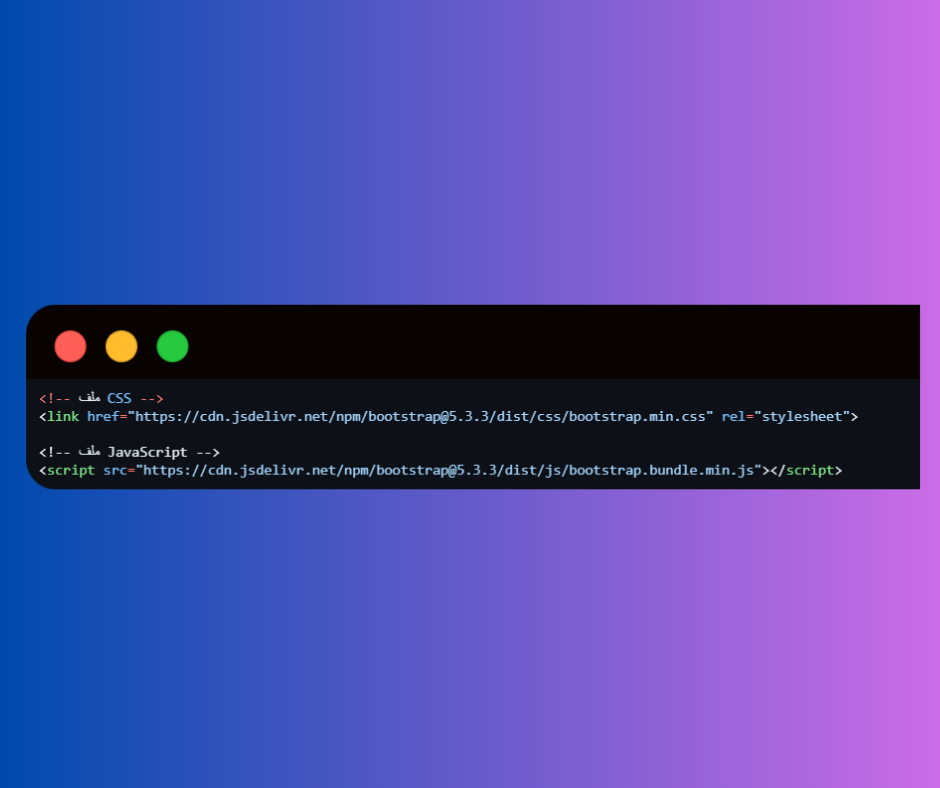
🔹 الطريقة الأولى – CDN (الأسرع والأبسط)
-
Link Bootstrap files from the internet directly via ready-made links (from the Bootstrap website or CDN).
-
Features: Fast – Easy – No file download required.
-
Disadvantages: Internet connection required.
example:
-
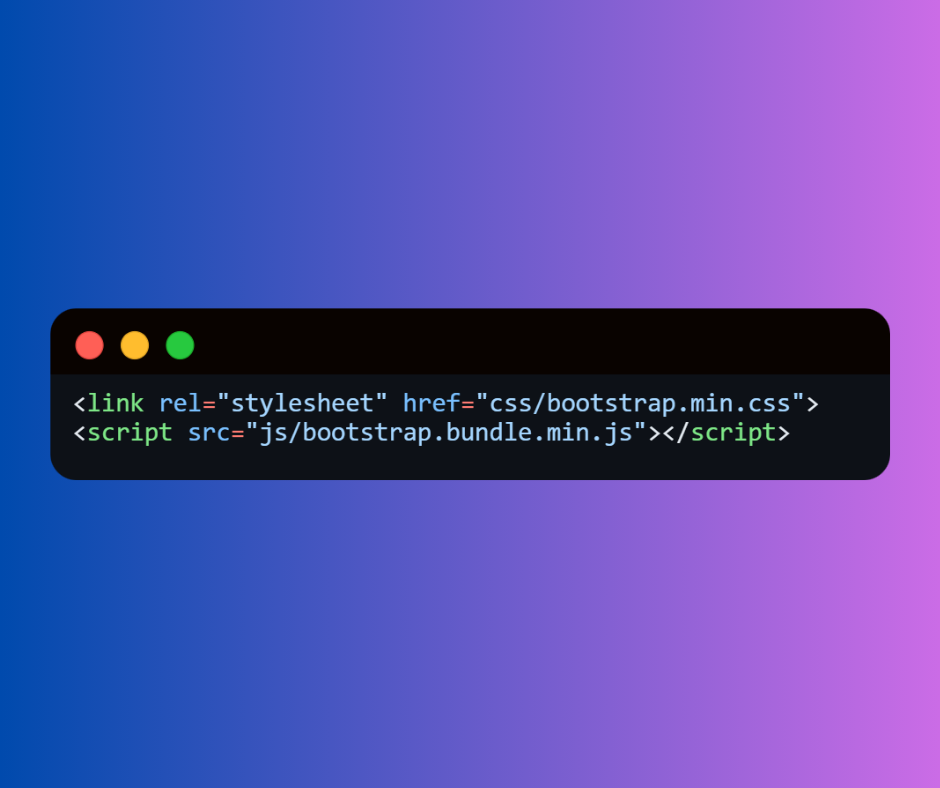
Download the Bootstrap files to your device and link them to the project.
-
Features: Works even without internet - You can edit files.
-
Disadvantages: Need to upload and store files in each project.
example:


 Contact WhatsApp