

Blog
2 – Basic HTML File Structure with Bootstrap – Level 1: Basics

📌 Basic structure of an HTML file with Bootstrap
When you start any project with Bootstrap, you must have an organized HTML file that includes:
-
DOCTYPE tag.
-
Language and Meta tags for cross-browser compatibility.
-
Link CSS files (Bootstrap + your profile).
-
Link JavaScript files (Bootstrap + any additional libraries).
✨ The general appearance of an HTML file with Bootstrap
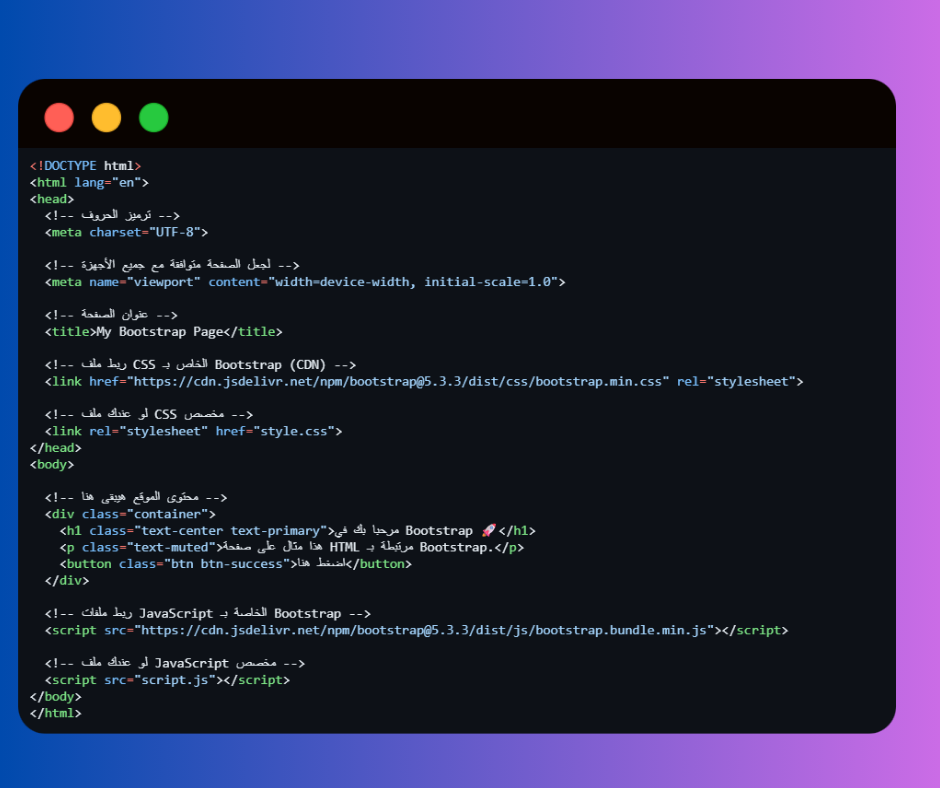
🟢 Explanation of the important parts:
1️⃣
This tells the browser that the file is written in HTML5.
2️⃣
This page supports Arabic and all world languages.
3️⃣
It is very important for the design to be responsive to mobile and tablet.
4️⃣ Link Bootstrap CSS files
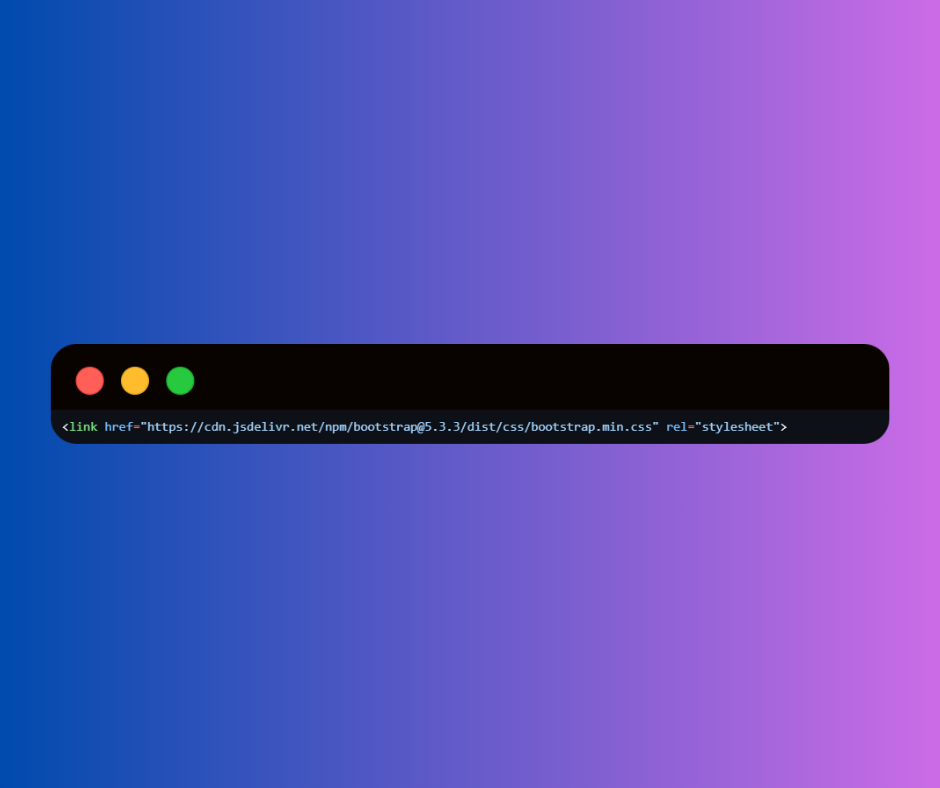
This makes the page take advantage of every Bootstrap class.
5️⃣ Bootstrap JavaScript files
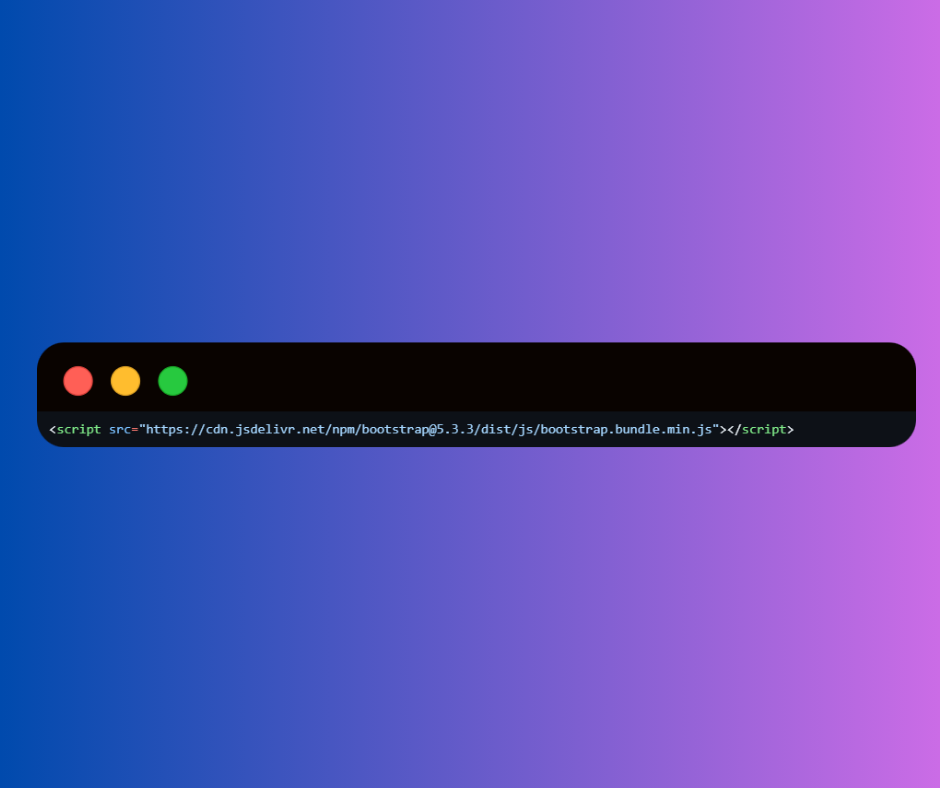
This is the file that contains the JavaScript codes for Bootstrap (such as Modal, Carousel, Dropdown…).
Note: The bootstrap.bundle.min.js file automatically contains Popper.js, which is needed by some components (such as dropdowns).
6️⃣ Your own files (CSS & JS)
If you have custom codes, you need to add your files after Bootstrap.
-
CSS: After the Bootstrap file so you can edit or replace Bootstrap styles.
-
JS: After Bootstrap files to avoid conflicts.



 Contact WhatsApp